Mitsubishi Mini Split Remote Icons Meaning (Control Guide)
Mitsubishi Mini Split Remote Icons Meaning
(Complete Control Guide)
A simple accidental button press can make a $5,000 ductless system feel like it’s completely broken.
As an HVAC engineer, I respond to dozens of “no cooling” or “no heating” service calls every year where the only “fix” required was pressing a single button on the remote control.
Mitsubishi relies heavily on visual icons rather than text to communicate system functions. While this universal design is sleek, it leaves many homeowners confused. In this practical guide, we will decode the exact meaning of every Mitsubishi mini split remote icon, explain how each mode affects your comfort, and show you how to avoid the most common user errors.
Understanding Mitsubishi Mini Split Remote Icons
First, it is important to distinguish between the general display symbols and the functional Mode Icons. The icons dictate the mechanical operation of the outdoor compressor and the indoor blower wheel.
Note: If you are looking for a breakdown of the entire remote screen (including fan speeds and louver directions), check our broader guide on Mitsubishi Remote Symbols. Here, we focus purely on the operational icons.
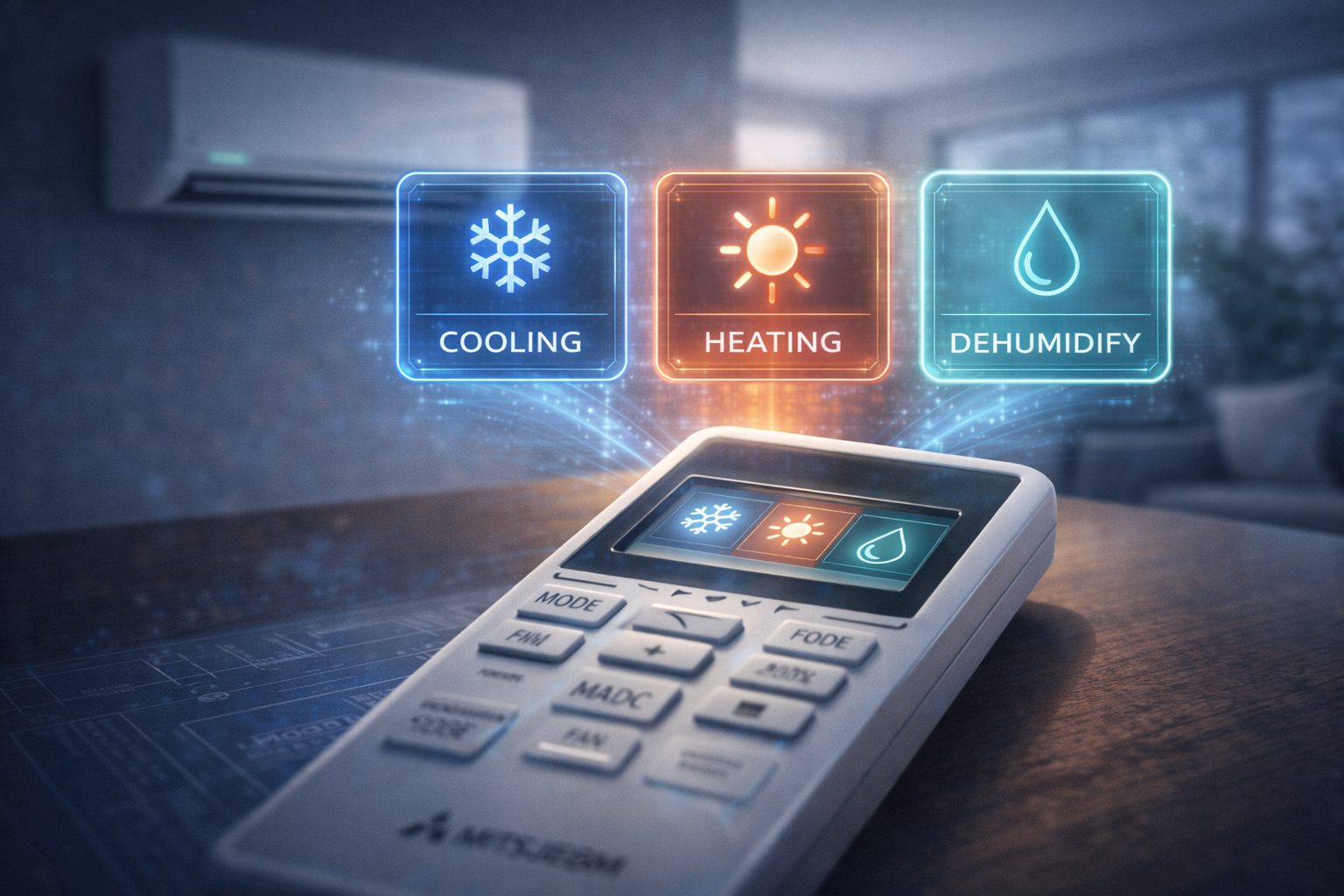
Cooling Mode Icon (Snowflake)
What it means: The Snowflake icon activates the standard air conditioning cycle. The outdoor compressor runs to absorb heat from your room and expel it outside.
When to use it: During summer months when you need to lower the actual air temperature.
Energy Impact: Wondering how this affects your bill? Read: Does a mini split use a lot of electricity?
Heating Mode Icon (Sun Symbol)
What it means: The Sun icon reverses the flow of refrigerant. The system now extracts heat energy from the cold outdoor air and pumps it into your room.
Important Quirk: When you select this icon, the indoor unit may pause or blow lukewarm air for several minutes. This is a normal “Defrost Cycle” to melt ice off the outdoor unit.
If it stays cold for more than 15 minutes, consult our guide: Mitsubishi Mini Split Not Heating.
Dry Mode Icon (Water Drop)
What it means: The Water Drop turns your unit into a dedicated dehumidifier. It runs the indoor fan at an ultra-low speed while keeping the coils cold, wringing maximum moisture out of the air.
Cool vs. Dry: Cool mode focuses on lowering the temperature. Dry mode focuses on removing humidity without making the room freezing cold.
Learn the deep engineering behind this in our Dry Mode Guide.
Fan Mode Icon
What it means: The Fan Blade icon simply turns on the indoor blower wheel. The outdoor compressor remains completely off.
Does it cool? No. It uses very little electricity but only circulates existing room air, much like a standard ceiling fan.
Auto Mode Icon (Circular Arrows)
What it means: The system acts as a smart thermostat. It will automatically switch between the Snowflake (Cooling) and the Sun (Heating) to maintain your exact set temperature.
The Drawback: In spring or fall, if the sun hits your room, Auto mode might trigger the AC. An hour later when the sun sets, it triggers the heater. This constant switching wastes energy.
Econo Cool Icon (The Leaf / Swing)
This is a proprietary Mitsubishi feature designed specifically for energy savings without sacrificing comfort.
- How it works: When you press Econo Cool, the system automatically raises your set temperature by about 2°C (4°F) and begins continuously sweeping the vertical air louvers.
- Why use it? Moving air feels cooler against human skin. You feel just as comfortable, but the compressor works 20% less, saving you money.
Timer Icons
On/Off Timer
Allows you to program the unit to start or stop at a specific time. Great for having a cool bedroom waiting for you after work.
Sleep Timer
Gradually adjusts the temperature overnight to match your body’s natural cooling cycle while you sleep.
Case Insight: The “Broken” Rental Unit
The Complaint: A new tenant called their landlord furiously claiming the brand-new Mitsubishi system was blowing warm air in the middle of July.
The Diagnosis: The landlord arrived ready to call an expensive HVAC tech. Upon inspecting the remote, the display showed the Fan Blade icon instead of the Snowflake icon. The tenant had accidentally pressed “Mode” while adjusting the temperature in the dark.
The Solution:
One press of the “Mode” button returned the system to Cooling. Problem solved in 3 seconds.
Landlords, avoid these headaches by reading our Rental Property HVAC Guide.
Why Mitsubishi Remote Icons Confuse Many Users
If you find the remote frustrating, you are not alone. There is a cultural engineering reason for this.
Traditional American HVAC thermostats use clear text labels like “HEAT,” “COOL,” and “OFF.” Japanese manufacturers like Mitsubishi design equipment for a global market, relying entirely on universal pictograms (icons) to bypass language barriers. While efficient for manufacturing, it requires a slight learning curve for the end user.
How to Reset Mitsubishi Remote Settings
If the screen is frozen, displaying strange icons, or completely unresponsive, follow this reset procedure:
- Remove Batteries: Take the AAA batteries out of the back of the remote.
- Wait & Press: Wait 60 seconds, then press and hold the power button to drain any residual charge in the remote.
- Reinsert & Resync: Put fresh batteries in. Use a paperclip to press the tiny, recessed “RESET” button on the front or back of the remote.
If the remote works but the indoor unit has a blinking light, the issue is not the remote. Refer to our Error Codes Troubleshooting Guide.
Frequently Asked Questions
What do the Mitsubishi remote icons mean?
The main icons dictate the operating mode: The Snowflake is for air conditioning (Cool), the Sun is for heating (Heat), the Water Drop is for dehumidification (Dry), and the Fan Blade circulates room air without altering the temperature.
Why is my Mitsubishi remote showing a fan symbol?
The fan symbol indicates your system is currently in Fan Mode. The outdoor compressor is completely off, and the indoor unit is simply acting like a standard room fan, circulating existing air without cooling or heating it.
What is Econo Cool mode?
Econo Cool is an energy-saving feature. It raises your set temperature by 2°C (4°F) but continuously swings the air louvers. The moving air creates a wind-chill effect, keeping you comfortable while using up to 20% less electricity.
Why does my Mitsubishi change modes automatically?
If it changes from cooling to heating on its own, your remote is likely set to the Auto mode (indicated by circular arrows). In this mode, the system acts as a smart thermostat, automatically switching modes to maintain the exact set temperature.
How do I reset my Mitsubishi remote?
Remove the batteries, wait 60 seconds, and press the power button a few times to drain residual energy. Insert fresh batteries, then use a paperclip to press the small, recessed RESET button located on the remote.