Mitsubishi Mini Split Remote Symbols Explained
(Full Icon Guide)
If you’ve ever stared at your Mitsubishi remote wondering what that tiny snowflake, sun, or water drop icon actually does, you are not alone.
As an HVAC engineer, I can tell you that most comfort complaints come from incorrect remote settings — not actual system failures.
Mitsubishi remote controls are packed with advanced inverter technology features, but they rely heavily on hieroglyphic-like icons instead of text. In this guide, we will decode every symbol on your remote, explain how each mode impacts your electricity bill, and reveal the best settings for maximum efficiency.
Understanding Mitsubishi Remote Modes (Core Symbols)
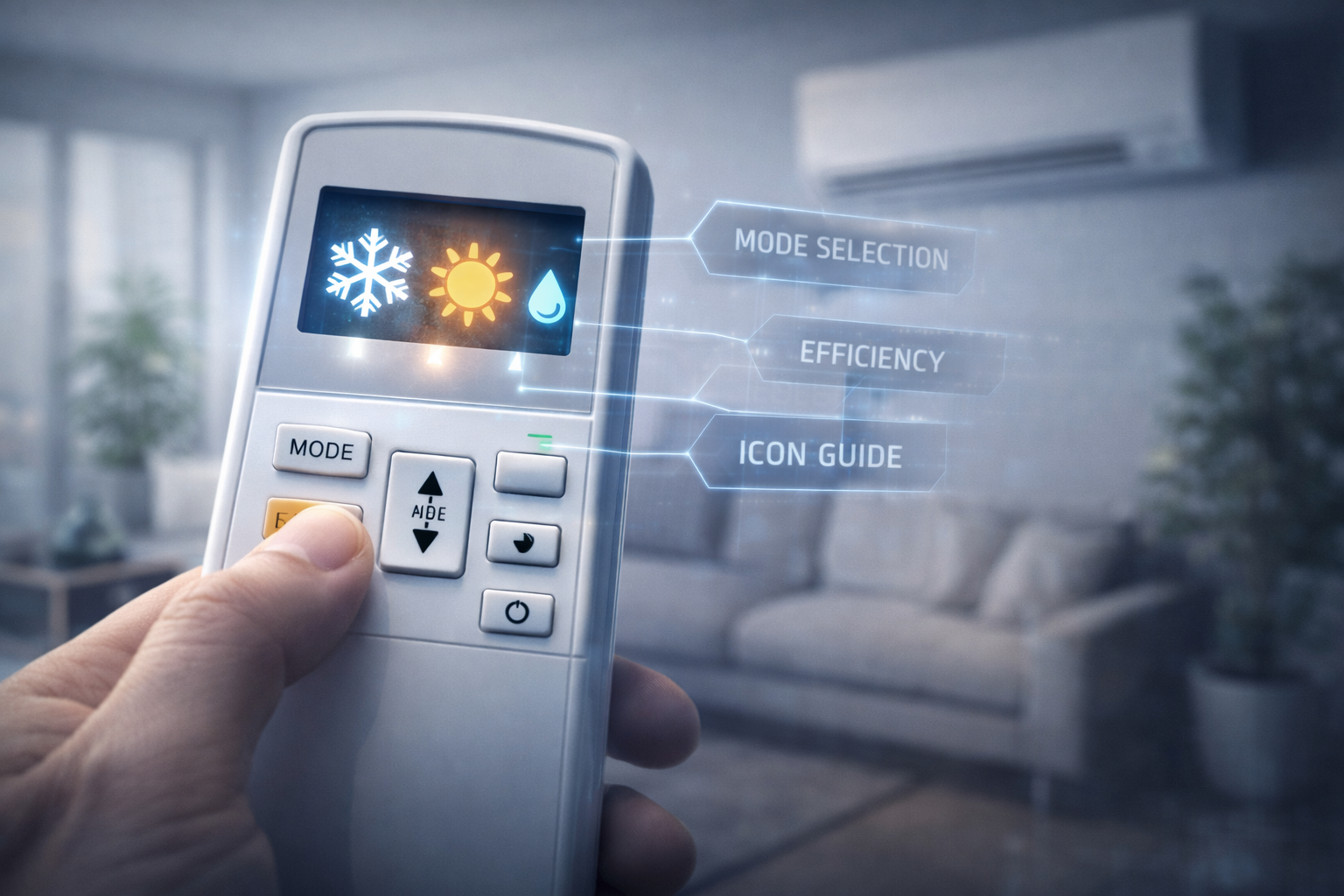
The “MODE” button on your remote cycles through the primary functions of your mini split. Here is exactly what each icon means:
Cool Mode (The Snowflake)
What it does: This is standard air conditioning. The compressor pumps refrigerant to absorb heat from your room and dump it outside.
When to use it: Summer days when the indoor temperature is uncomfortably hot.
Engineering Note: Worried about leaving it on? Read our guide: Does a mini split use a lot of electricity? to see actual cost breakdowns.
Heat Mode (The Sun)
What it does: Reverses the refrigerant flow. It extracts ambient heat from the cold outside air and pumps it indoors.
Quirk: The indoor fan will often pause (and may blow slightly cool air temporarily) while the outdoor unit undergoes a required defrost cycle. This is normal.
Read more: Can a mini split heat a house in freezing weather?
Dry Mode (The Water Drop)
What it does: Acts as a highly efficient dehumidifier. The fan runs at a super-low speed while the compressor runs cold, pulling maximum moisture from the air without dropping the room temperature drastically.
Curious how it saves money? See our deep dive: Mini Split Dry Mode Explained.
Auto Mode (The Circular Arrows)
What it does: The system automatically selects Cool or Heat based on the difference between the room temperature and your set point.
Warning: During Spring or Fall, Auto mode can aggressively switch between heating and cooling on the same day, wasting electricity. We generally recommend setting it to Cool or Heat manually.
Fan Mode (The Fan Blade)
What it does: Circulates indoor air without engaging the outdoor compressor. It does not cool the air.
Energy use: Extremely low (similar to a standard ceiling fan). Great for simply moving stagnant air on a mild day.
Mitsubishi Mini Split Remote Fan Speed Symbols
Controlled by the “FAN” button, these icons dictate how hard the indoor blower wheel spins:
- Bars (Low, Med, High): Each bar represents a fixed speed. The unit will blow at this speed regardless of the room temperature.
- Auto Fan (Fan Icon with “AUTO”): Highly Recommended. The system adjusts the fan speed automatically. As the room reaches your target temperature, the fan quietly slows down.
Advanced Mitsubishi Remote Icons
Sleep Mode (Crescent Moon)
Gradually alters the set temperature by a few degrees while you sleep, reducing noise and saving energy, before turning off or returning to normal in the morning.
Econo Cool
A Mitsubishi exclusive. It automatically raises the temperature by 2°C (4°F) but continuously swings the air louvers. The moving air makes you feel just as cool while saving 20% on energy.
Timer (Clock Icon)
Allows you to set specific ON/OFF times. Excellent for preparing a room before you arrive home from work.
WiFi Indicator
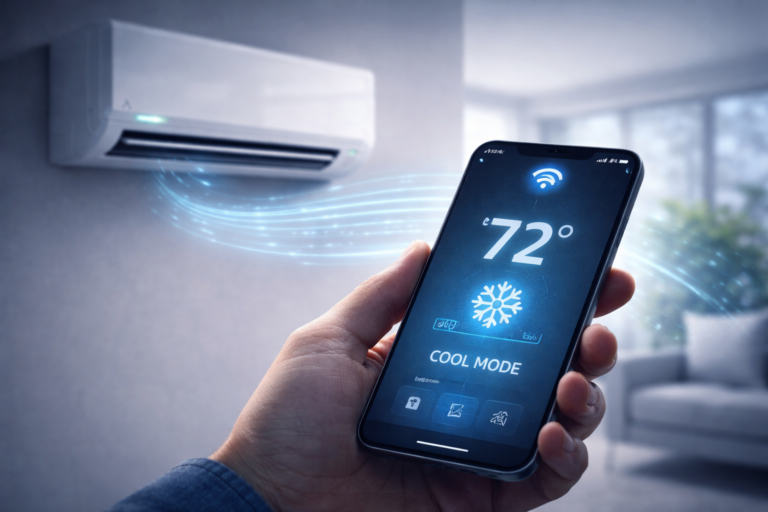
If visible, your unit is connected to the Kumo Cloud app. Note: Smart features only work efficiently if your unit is sized correctly via our Sizing Calculator.
Real Example: Wrong Mode = “No Heat” Complaints
The Scenario: A tenant called complaining that their new Mitsubishi unit was broken and completely failing to heat the apartment in November.
The Diagnosis: Upon inspection, the system had no error codes. However, the tenant had the remote set to the Snowflake (Cool Mode) while turning the temperature dial up to 80°F, hoping it would blow warm air.
The Fix:
We simply pressed the MODE button until the Sun (Heat Mode) appeared and set the fan to Auto. Within 5 minutes, the unit was blasting 110°F air. Problem solved—zero dollars spent.
Mitsubishi Mini Split Remote Not Working (Quick Fix)
If your remote is unresponsive or displaying a weird code, try these rapid steps before calling a technician:
- 1. Battery Check: Sounds obvious, but faded screens mean weak infrared signals. Replace with fresh AAA batteries.
- 2. Reset Procedure: Use a paperclip to press the tiny, recessed “RESET” button located near the bottom of the remote.
- 3. Emergency Operation Button: If the remote is dead, lift the front panel of the indoor wall unit. There is a tiny button labeled “E.O SW”. Pressing it once turns on Emergency Cool, pressing it twice turns on Emergency Heat.
If the indoor unit has blinking lights, it is not a remote issue. Check our Mitsubishi Error Codes List to diagnose the specific fault.
Best Settings for Maximum Efficiency
Summer
Mode: Cool (Snowflake)
Temp: 74°F
Fan: Auto
*Use Econo Cool to save 20%
Winter
Mode: Heat (Sun)
Temp: 68°F
Fan: Auto
*Direct airflow downward
Rentals / Airbnb
Mode: Auto
Limit the remote range if possible to avoid compressor abuse.
See: Landlord HVAC Guide
Frequently Asked Questions
What do the symbols mean on a Mitsubishi mini split remote?
The core symbols indicate the operating mode: The Snowflake is Cool Mode, the Sun is Heat Mode, the Water Drop is Dry Mode (dehumidifier), and the Circular Arrows represent Auto Mode.
What is auto mode on Mitsubishi mini split?
Auto Mode (circular arrows) allows the system to automatically switch between heating and cooling to maintain your set temperature. It is highly convenient but can sometimes waste energy during transition seasons if it constantly flips back and forth.
Why is my Mitsubishi remote not changing modes?
This usually happens when the remote batteries are low, the remote has frozen (requiring a reset), or you are in a multi-zone system where another room is locked into a conflicting mode (e.g., one room heating, another cooling). Mitsubishi multi-zone systems must all run in the same core mode.
Is Dry Mode better than Cool?
Dry Mode is better on humid, mild days when you want to remove moisture from the air without over-cooling the room. Cool Mode is strictly for lowering the actual temperature on hot summer days.
What does Econo Cool mean?
Econo Cool is a Mitsubishi-specific energy-saving feature. It swings the airflow vertically and raises the set temperature by about 2°C (4°F). Because moving air feels cooler on your skin, you feel the same comfort while saving up to 20% on energy costs.